 This wiki is no longer being updated as of December 10, 2025.
|
SSIS:Business Coder:Pass-Through Columns: Difference between revisions
Jump to navigation
Jump to search
Created page with "{{SSISBusinessCoderNav |BusinessCoderTabsCollapse= }} {{CustomTOC}} This shows a list of the columns in your input table. Add a column to the Pass Through list to include th..." |
No edit summary |
||
| Line 2: | Line 2: | ||
|BusinessCoderTabsCollapse= | |BusinessCoderTabsCollapse= | ||
}} | }} | ||
{{CustomTOC}} | {{CustomTOC}} | ||
Latest revision as of 20:17, 10 May 2016
← SSIS:Data Quality Components
| Business Coder Navigation | ||||||
|---|---|---|---|---|---|---|
| Overview | ||||||
| Tutorial | ||||||
| Advanced Configuration | ||||||
| ||||||
|
This shows a list of the columns in your input table. Add a column to the Pass Through list to include the original contents in the output table.
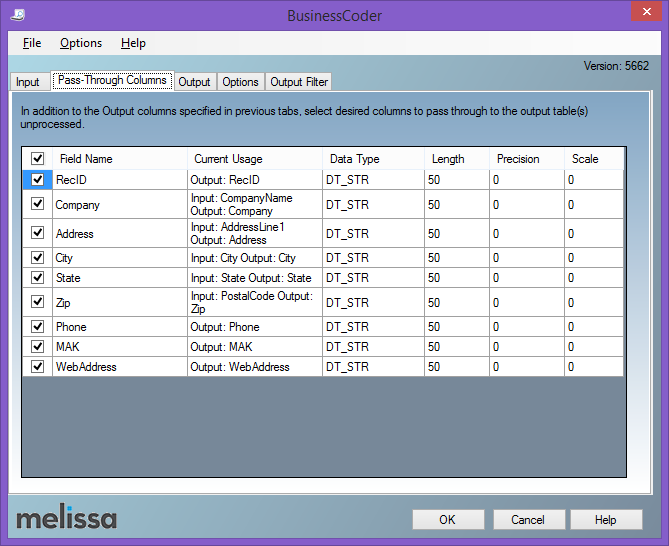
- Pass Through
- Specify whether or not a field should be passed through to the output table(s) by checking the box to include the field.
- Field Name
- The field names from the original input table.
- Current Usage
- Where the field is currently being used as input.