 This wiki is no longer being updated as of December 10, 2025.
|
Contact Zone:Contact Verify:Pass-Through Columns: Difference between revisions
Jump to navigation
Jump to search
No edit summary |
mNo edit summary |
||
| Line 58: | Line 58: | ||
This shows a list of the columns in your input table. Add a column to the Pass Through list to include the original contents in the output table. | This shows a list of the columns in your input table. Add a column to the Pass Through list to include the original contents in the output table. | ||
[[File:CZ_CV_PassThrough. | [[File:CZ_CV_PassThrough.png|link=]] | ||
;Column Name | ;Column Name | ||
Revision as of 17:22, 11 June 2014
| Contact Verify Navigation | |||||||||
|---|---|---|---|---|---|---|---|---|---|
| Overview | |||||||||
| Tutorial | |||||||||
| |||||||||
| |||||||||
|
This shows a list of the columns in your input table. Add a column to the Pass Through list to include the original contents in the output table.
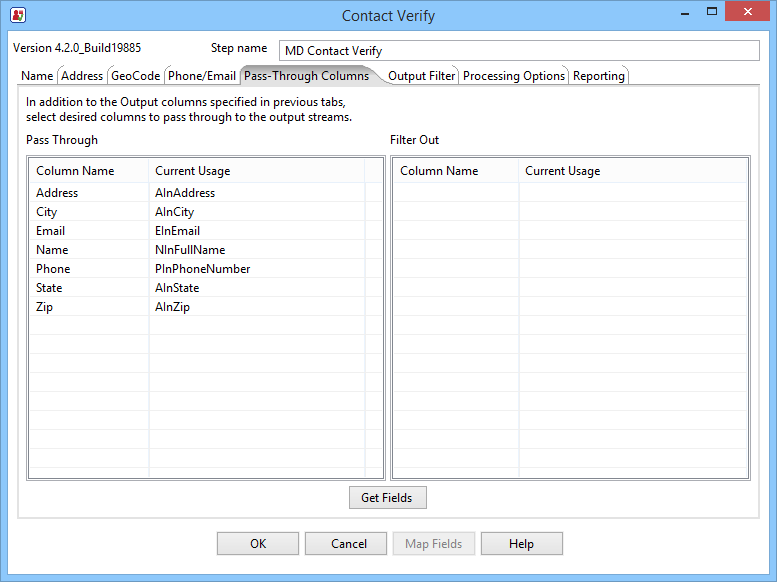
- Column Name
- The column names from the original input table
- Current Usage
- Where the column is currently being used as input