 This wiki is no longer being updated as of December 10, 2025.
|
FAQ:SSIS:Install Other Than C: Drive
Jump to navigation
Jump to search
← SSIS:Data Quality Components
If you want to install your SQL Server to a path other than the default C: drive, follow this guide.
SQL Server Installation Path Other Than C Drive
1. Open Command Prompt as Administrator.
2. cd to where the installer is located on your machine.
3. Type the installer name along with the command /NoDetectSSIS
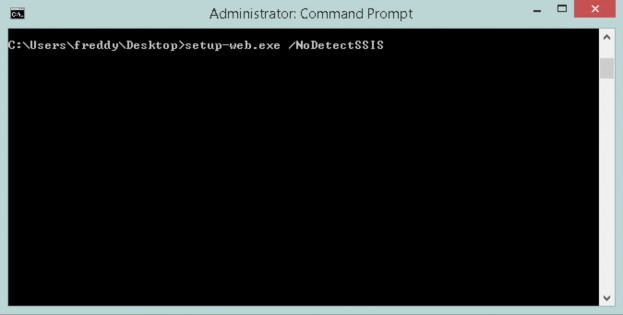
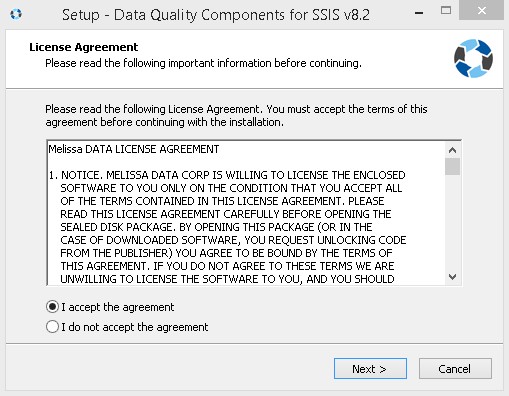
4. Once the installer appears, accept the agreement and click Next.
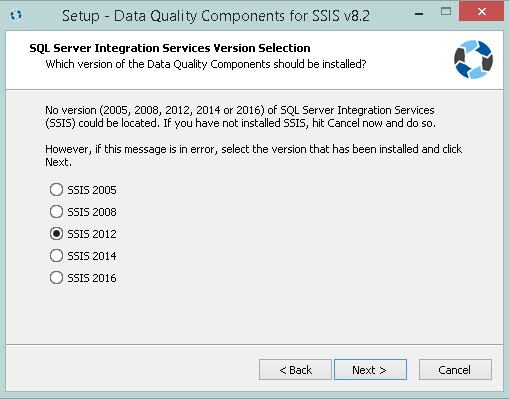
5. Select which version of SQL Server Integration Services is installed.
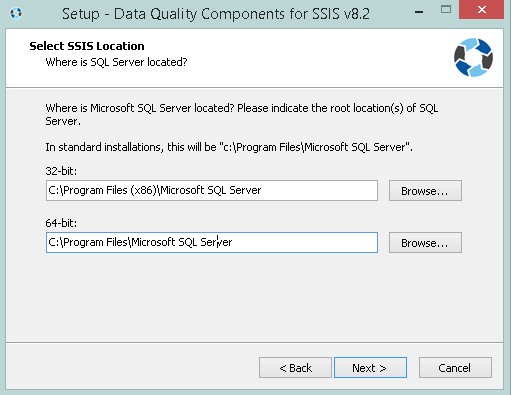
6. Select the SSIS root directory. Here you can modify where to install SSIS.
7. Enter your license string, and then select the components you want installed. The Melissa components will now be installed to the chosen directory.