 This wiki is no longer being updated as of December 10, 2025.
|
Listware for Excel:MatchUp: Difference between revisions
Jump to navigation
Jump to search
No edit summary |
No edit summary |
||
| (One intermediate revision by the same user not shown) | |||
| Line 1: | Line 1: | ||
{{ | {{LWEMatchUpNav}} | ||
{{CustomTOC}} | {{CustomTOC}} | ||
[[MatchUp Hub|← MatchUp Hub]] | |||
[[File:LWE_MatchUp_Button.png|link=]] | [[File:LWE_MatchUp_Button.png|link=]] | ||
MatchUp can be accessed by clicking the 'MatchUp' button in the 'Matching' section. | |||
[[File:LWE_MatchUp_Welcome.png|link=]] | |||
The MatchUp add-in allows you to eliminate duplicate records. | |||
[[Category:Listware for Excel]] | [[Category:Listware for Excel]] | ||
Latest revision as of 15:26, 2 October 2018
← Listware for Excel Reference
| MatchUp Navigation | |||||||||
|---|---|---|---|---|---|---|---|---|---|
| ← Listware for Excel Overview | |||||||||
| Overview | |||||||||
| Tutorial | |||||||||
| |||||||||
| Result Codes |

MatchUp can be accessed by clicking the 'MatchUp' button in the 'Matching' section.
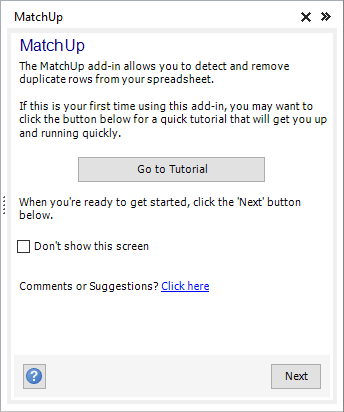
The MatchUp add-in allows you to eliminate duplicate records.